The item is in a remote warehouse, delivery time is 2-3 business days. More info
Delivery options - Select at checkout
Shipping @price - GLS
12,00
EUR
134,58
Incl. VAT 168,23
Total incl. delivery
183,23
The function requires that you are logged in. Create a user and use our smart list system to keep track of future purchases, regular purchases or wish lists. Create user Login
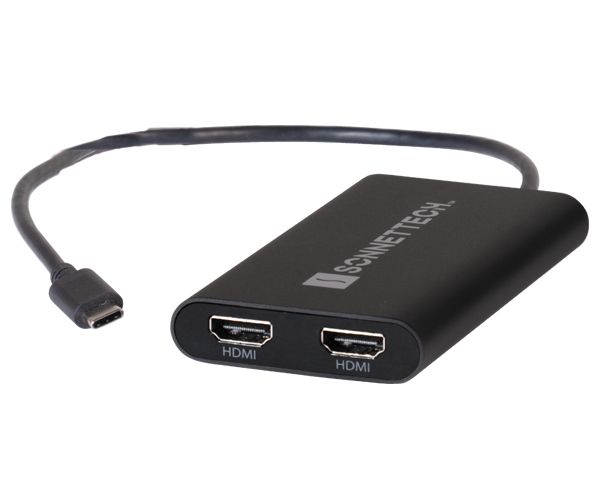
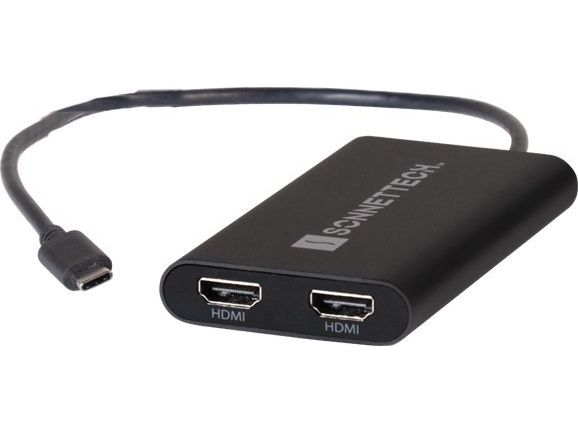
It’s well known that Apple® M series Mac® computers offer outstanding performance but limit the number of external displays you can connect to them. If you’re using an M1/M2 MacBook Air®, M1/M2 13-inch MacBook Pro®, or M3 14-inch MacBook Pro that number is one. Featuring DisplayLink™ technology, the bus-powered Sonnet USB-C to Dual 4K 60Hz HDMI Adapter beats the limit, enabling you to connect two 4K (3840 x 2160) @ 60Hz; or two 1440p or 1080p @ 144Hz HDMI displays to a single port on your computer.
Power Passthrough – Charge Your Computer at the Same Time M1 MacBook Air, and M1/M2 13-inch MacBook Pro computers — and some PC laptops — do not include dedicated power ports. With the limited ports available, you have a choice; connect the USB-C power cable to a dual-purpose USB-C or Thunderbolt port, or connect an accessory instead. Although it is bus-powered when no USB-C power adapter is connected, the Sonnet USB-C to Dual 4K 60Hz HDMI Adapter enables you connect two HDMI displays and power your computer through the same port. Simply connect the Sonnet adapter to your computer, and then plug in the USB-C power cable into the Sonnet adapter — up to 90W of power passes through the adapter to your computer using the same cable as for connecting two HDMI displays. Problem solved!
Efficiency Booster – Multiply Your Applications Workspace Perfect for use with productivity software such as Microsoft® Office, this Sonnet adapter enables you to expand your workspace andwork more efficiently. Whether you need to edit code or view a spreadsheet in detail on a large display, open multiple applications on their own screens, or mirror your notebook’s display on a larger monitor, the Sonnet USB-C to Dual 4K 60Hz HDMI Adapter makes it possible.
Go Full screen – Browse the Web and Watch Videos Even when you’re not using productivity software, your laptop’s screen can constrain your view. Go big — the Sonnet USB-C to Dual 4K 60Hz HDMI Adapter enables you to connect your computer to your large monitor or big screen TV to browse the web and watch videos on YouTube and other content(1) at a distance.
Not Just for 4K Displays – Supports Full HD (1080p) Displays and Audio Out While the Sonnet USB-C to Dual 4K 60Hz HDMI Adapter supports two monitors at up to 4K resolutions (3840 x 2160P @ 60 Hz), you can also use it to connect monitors with lower resolutions, like full HD 1080p (1920 x1080) @ 60Hz — this makes it great for use for different home and work applications. Because audio support is built into the Sonnet adapter, you don’t have to plug in a separate cable to hear sound through connected displays.
Designed for M1 and M2 Macs and Compatible with Other Computers The Sonnet USB-C to Dual 4K 60Hz HDMI Adapter is compatible with most computers with USB-C interfaces but was designed for M1/M2 MacBook Air, M1/M2 13-inch MacBook Pro, and M3 14-inch MacBook Pro computers, and other computers incapable of natively supporting more than one external display. If your computer otherwise has Thunderbolt 4 or 3 ports, we recommend the Sonnet Thunderbolt Dual HDMI Adapter instead.
Connector 1
USB Type-A
Connector 2
2 x HDMI
Connector 1 gender
Male
Connector 2 gender
Female
Connector 1 form factor
Straight
Connector 2 form factor
Straight
Power source
USB
Maximum resolution
3840 x 2160 pixels
Supported video modes
1080p, 1440p
Maximum refresh rate
60 Hz
Product colour
Black
Windows operating systems supported
Yes
Mac operating systems supported
Yes
Quantity per pack
1 pc(s)
The item is known under the following item numbers in our system
EAN:
0732311013706
UPC:
732311013706
SKU:
USBC-DHDMI
Why do I find that the same product is available on different item numbers?
Manufacturers often release the same product with different item numbers, typically just different versions of the packaging. For example, the packaging may be targeted at different countries.
We try our best to unify the products, but it can happen that the same product appears on different item numbers in our system.