The item is in a remote warehouse, delivery time is 3-4 business days. More info
Delivery options - Select at checkout
Shipping @price - GLS
12,00
EUR
39,54
Incl. VAT 49,43
Total incl. delivery
64,43
The function requires that you are logged in. Create a user and use our smart list system to keep track of future purchases, regular purchases or wish lists. Create user Login
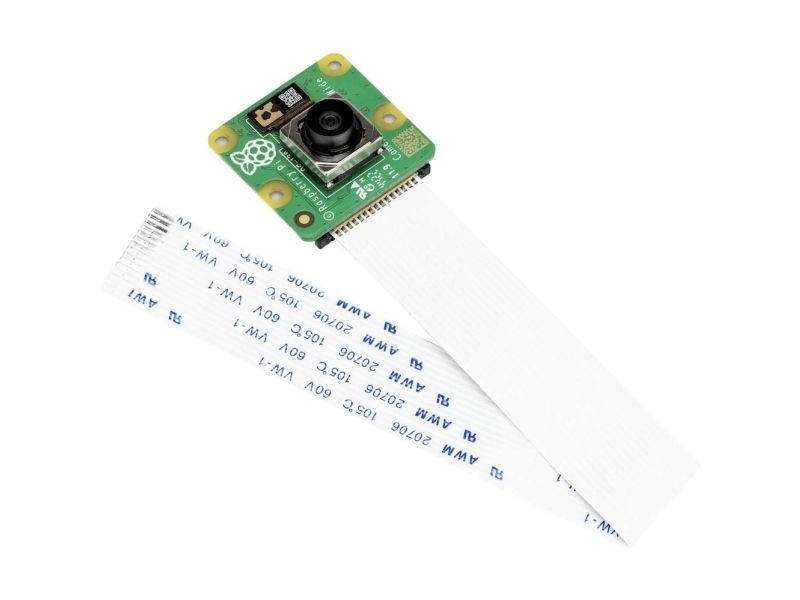
Quality of (still) life Camera Module 3 comes with an improved 12MP IMX708 Quad Bayer sensor and features a High Dynamic Range mode, making it the highest quality Camera Module we’ve made so far.
Focus on the good Camera Module 3 features ultra-fast auto focus as standard. A rich library of software commands means you can have total control over what you focus on and how you do it.
Look from a different perspective Need a wider field of view than the standard 75 degrees? Camera Module 3 Wide features an ultra-wide 120 degree angle of view, meaning your Raspberry Pi can see more of the world.
See things differently Both the standard and wide cameras come with the option of having no IR filter, turning the Camera Module 3 into a night-vision camera when used with infrared lighting.
Not just for stills Camera Module 3 can record full HD video at 50fps, with higher frame rates available at lower resolutions. Featuring an HDR mode and autofocus, it not only provides great stills quality, but is also a fantastic tool for video recording and streaming. Watch our video filmed entirely on Camera Module 3 to see it in action.
Product type
Camera
Compatibility
Raspberry Pi
Brand compatibility
Raspberry Pi
Product colour
Multicolour
Color camera resolution
1920 x 1080 pixels
Color camera frame rate
120 fps
Width
24 mm
Depth
25 mm
Height
11.5 mm
The item is known under the following item numbers in our system
EAN:
5056561800363
SKU:
SC1224
Why do I find that the same product is available on different item numbers?
Manufacturers often release the same product with different item numbers, typically just different versions of the packaging. For example, the packaging may be targeted at different countries.
We try our best to unify the products, but it can happen that the same product appears on different item numbers in our system.