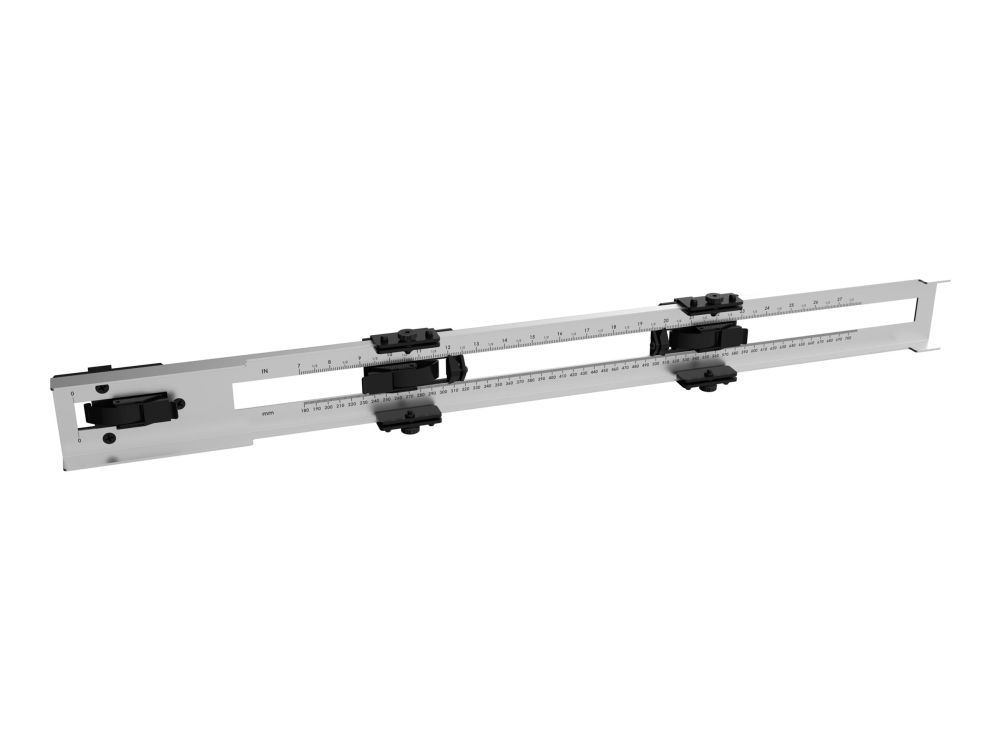
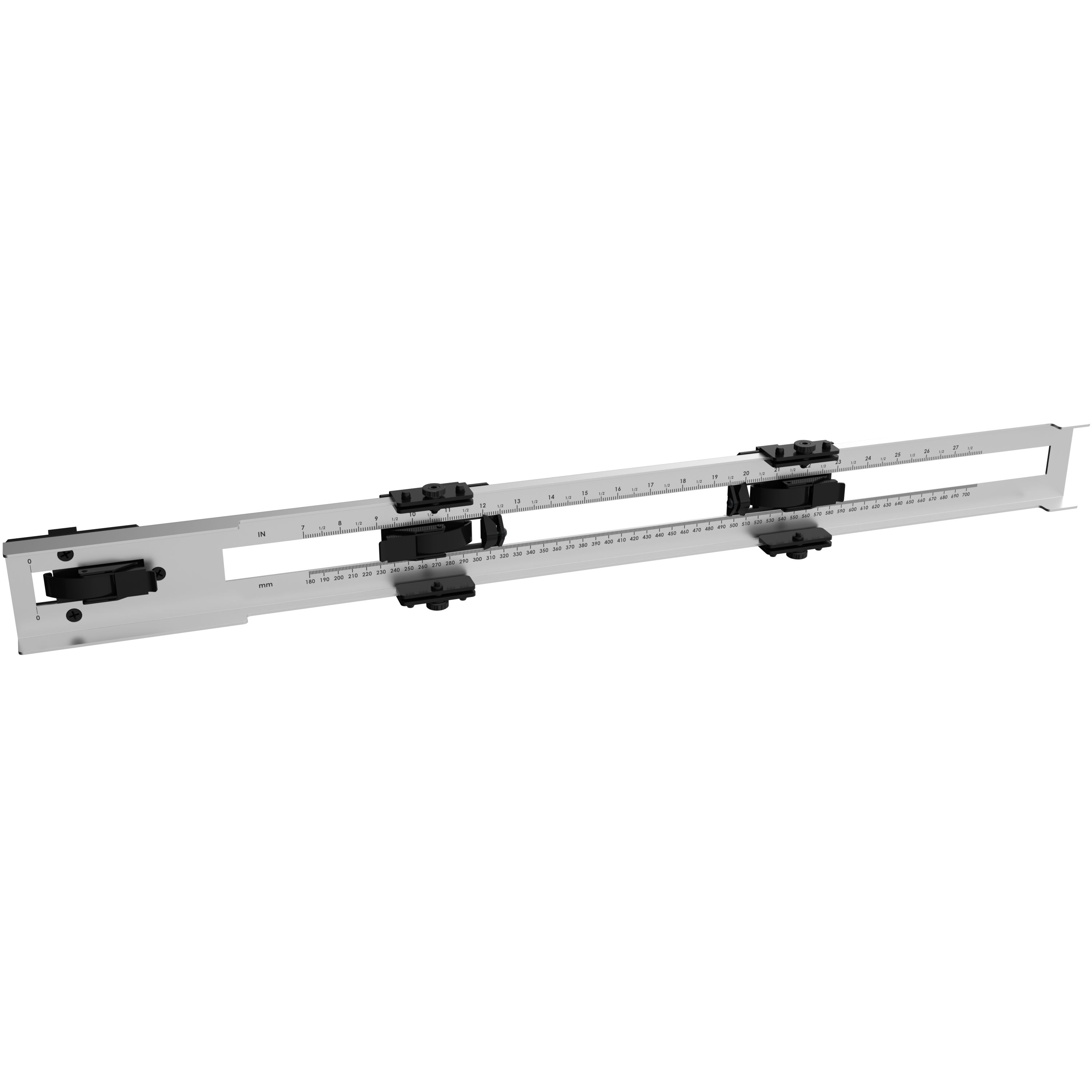
Chief TiLED® dvLED Universal Installation Spacer Tool, Brushed steel
FBAC4895-B52C-4E03-B099-A6A8F8B8017B Created with sketchtool. 706D6907-81E1-46A2-B8F9-7B702A1EF2C7 Created with sketchtool. 6A870209-E7F5-44F5-A66F-09E20C85A0DC Created with sketchtool. 0BB04D6C-A9AB-4913-BF4F-5A23954E68E1 Created with sketchtool. 501E26C7-66C1-4DAA-B740-6CFAF55A1B39 Created with sketchtool. C105F7D3-D5EE-43C9-9EE8-05CC42B296D4 Created with sketchtool. D94689D8-7CBB-41C8-AC06-F79D81FF82D5 Created with sketchtool. DA4C7ED9-2512-4D52-94F0-92800F2A6E04 Created with sketchtool. 42E133FD-828F-4CF4-A0BF-560014487A57 Created with sketchtool. F52D9745-4BFD-4506-BEEF-630FD09EF2D9 Created with sketchtool.
out of stock
The item is not in stock. More info

Udsolgt

Varen er ikke på lager.

Brug funktionen ”Giv mig besked..." herunder for opdateringer.

Delivery options  - Select at checkout
Shipping @price - GLS
12,00
EUR 186,17
Incl. VAT 232,71
Total incl. delivery 247,71
Notify me when the item is in stock again
Video wall installers will love the time-saving ingenuity of the TiLED dvLED Installation Spacer Tool.
Because the TiLED Installation Spacer Tool holds the dimensions of whatever LED cabinet you're using, it reduces installation time by eliminating the number of times you need to measure on the wall.
The tool latches to the TiLED Universal mounting structure, and once you’ve mounted the first column to the wall, you simply copy-paste the saved measurements to lay out the rest of the mounting columns of the video wall.
Benefits:
Simplifies dvLED videowall installations by eliminating multiple measurement steps
Reduces overall installation time
Precisely measures lengths from button to button and edge to edge of the display box
Once measurements are locked in, installers can easily measure each column by simply “copying and pasting” the widths
How-To Steps:
1. The left clamp is latched onto the left upright mount.
2. The middle slider is set to width of the hole pattern of the LED cabinet. It is clamped onto the right-hand rail of the first column that you're measuring.
3. The right clamp is set to the measurement for the cabinet width and locks onto the next upright of your next column spacing.
4. Ideally an installer will have a pair of these measuring tools to hold the dimensions firm on the first mounting column -- one tool for the top of the column and the other for the bottom.
5. Once the mounting column is up on the wall, the installer attaches it to the wall with lag bolts, and levels out the column.
6. Now that all dimensions are set within the measuring tool, the installer simply “copies and pastes” the same measurements for the remaining columns of the video wall.