The item is in a remote warehouse, delivery time is 5-7 business days. More info
Delivery options - Select at checkout
159,20
EUR
3.776,67
Incl. VAT 4.720,84
Total incl. delivery
4.919,84
Add to list
The function requires that you are logged in. Create a user and use our smart list system to keep track of future purchases, regular purchases or wish lists.
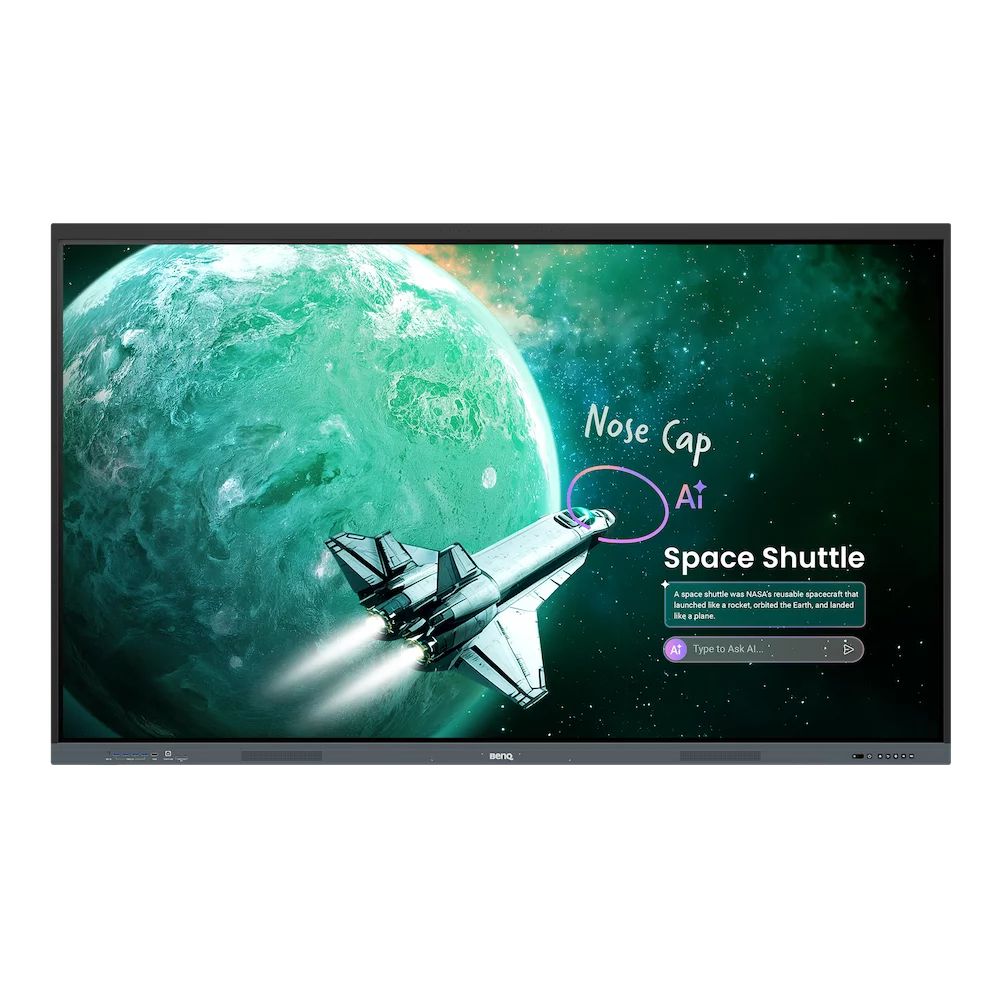
Core Plus Education Solution BenQ Board Essential RE05 Interactive Display Advanced on-device AI and tier-leading specs at a great value. For everyday classroom use and streamlined device management.
Simplified, secure device and account management Skip manual account setup with directory sync and manage users from Google, Microsoft, ClassLink, Clever, and other identity providers. Enable single sign-on with existing credentials for fast, secure device access.
Personalized workspace, in every classroom you teach Log in with single sign-on (SSO) to access your personal workspace safely, complete with app shortcuts, wallpapers, and cloud storage.
Remote device control, centralized Device, app, and account management is easier than ever, significantly easing the burden on IT.
BenQ AI readies you for every teaching moment
Your do-everything teaching assistant The most advanced AI built right into your interactive displays. Smart tools. Effortless to teach with.
An expanding suite of practical learning tools Support familiar teaching methods as well as the changing needs of tomorrow’s classrooms.
EZWrite digital whiteboard Support teachers every step of the way, from lesson prep and in-class interactions to learning beyond the classroom. Extend the canvas, divide screens for group work, and bring lessons to life with 3D visuals, ready-made templates, and even live camera input.
InstaShare 2 wireless screen sharing Cast from laptops or mobile devices, including screens, apps, photos, videos, camera feeds, and Office files, while an automatic content filter helps maintain an orderly learning environment.
Flexibility for the unique demands of students and learning spaces
Max compatibility
Supports Android, Windows, MacOS, ChromeOS, and more
Easy to get started BenQ Boards are designed for effortless adoption. Teachers and IT teams have access to a variety of resources to help them make the most of the interactive display experience.
Display diagonal
2.18 m (86")
Touchscreen
Yes
Working area
1895 x 1066 mm
Display brightness
500 cd/m²
Display resolution
3840 x 2160 pixels
Anti-glare screen
Yes
HD type
4K Ultra HD
Panel type
IPS
Native aspect ratio
16:9
Contrast ratio (typical)
1200:1
Contrast ratio (dynamic)
30000:1
Response time
8 ms
Number of simultaneous touchpoints
50
Touch system response time
5 ms
Colour gamut
72%
Surface material
Tempered glass
Low Blue Light technology
Yes
Hardness
9H
Operating system installed
Android
Operating system version
Android 16 (EDLA)
Processor architecture
ARM Cortex A78 + ARM Cortex A55
Maximum internal memory
8 GB
User memory
128 GB
Built-in speaker(s)
Yes
Number of built-in speakers
2
Speaker power
25 W
Built-in subwoofer
Yes
Subwoofer RMS power
20 W
Built-in microphone
Yes
Number of microphone arrays
8
Built-in projector
No
Ethernet LAN
Yes
Ethernet LAN data rates
10,100,1000 Mbit/s
Interface
USB
USB connector type
USB Type-A, USB Type-B, USB Type-C
HDMI ports quantity
4
HDMI version
2.0
HDMI output ports quantity
1
USB Power Delivery (USB PD)
Yes
USB Power Delivery up to
65 W
Ethernet LAN (RJ-45) ports
2
VGA (D-Sub) ports quantity
1
Line-in
Yes
OPS slot
1
S/PDIF out port
Yes
Headphone connectivity
3.5 mm
RS-232 ports
1
Product colour
Black
VESA mounting
Yes
Panel mounting interface
800 x 600 mm
Ambient light sensor
Yes
Card reader integrated
Yes
Compatible memory cards
MicroSD (TransFlash)
Operating hours (hours/days)
18/7
Power consumption (typical)
101.2 W
Power consumption (standby)
0.5 W
AC input voltage
100 - 240 V
AC input frequency
50 - 60 Hz
Operating temperature (T-T)
0 - 40 °C
Operating relative humidity (H-H)
20 - 80%
Storage temperature (T-T)
10 - 60 °C
Storage relative humidity (H-H)
10 - 80%
Width
1950.4 mm
Height
1174 mm
Depth
87.6 mm
Weight
59.5 kg
Package width
2095 mm
Package depth
185 mm
Package height
1265 mm
Package weight
76 kg
Cables included
HDMI, VGA, USB
Remote control included
Yes
Mounting kit
Yes
Number of stylus pens
2
Sustainability certificates
ENERGY STAR
The item is known under the following item numbers in our system
EAN:
4718755098963
SKU:
9H.FD9TK.DE2
Why do I find that the same product is available on different item numbers?
Manufacturers often release the same product with different item numbers, typically just different versions of the packaging. For example, the packaging may be targeted at different countries.
We try our best to unify the products, but it can happen that the same product appears on different item numbers in our system.