The item is in a remote warehouse, delivery time is 14-21 business days. More info
Delivery options - Select at checkout
Shipping @price - GLS
12,00
EUR
47,73
Incl. VAT 59,66
Total incl. delivery
74,66
The function requires that you are logged in. Create a user and use our smart list system to keep track of future purchases, regular purchases or wish lists. Create user Login
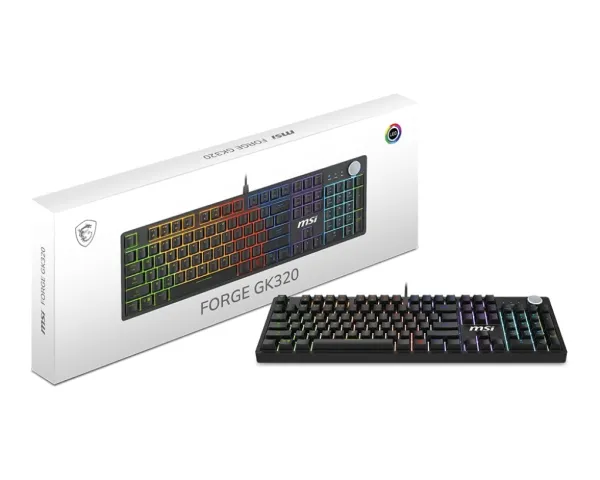
TAILOR YOUR SWITCH ANYTIME The hot-swappable socket design supports both default and third-party mechanical switches, allowing seamless switch replacement without soldering. Effortlessly tailor your typing experience for maximum flexibility and durability.
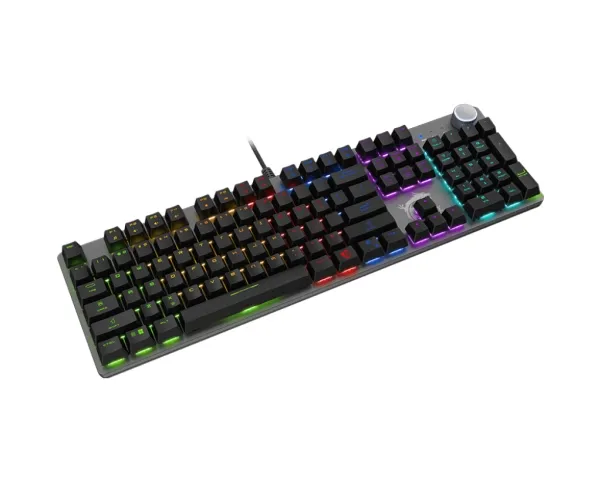
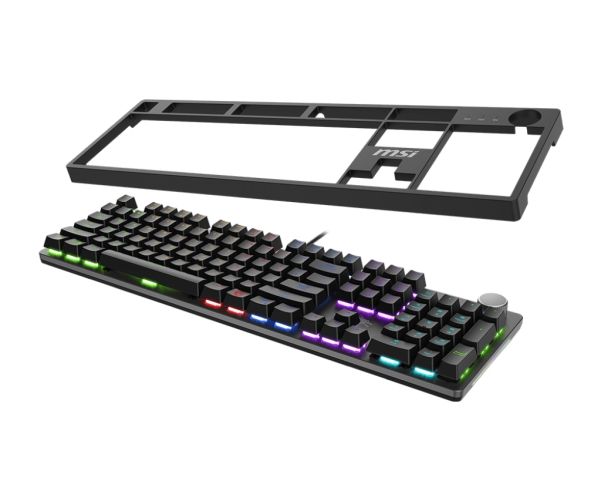
PLAY WITH YOUR STYLE A removable magnetic top cover pairs elegantly with the matte metal case, letting you adapt your keyboard’s appearance to suit your environment or mood. This design enhances both visual appeal and ease of maintenance.
INSTANT INTERACTION Take control with convenient hotkeys that let you quickly adjust lighting effects, manage media controls, and access widgets, enhancing your overall interaction with smooth functionality and rapid adjustments.
MACROS FOR EFFICIENCY Assign custom macros to the F1-F5 keys and automate complex actions with a single key press. Ideal for executing rapid command sequences in games or streamlining repetitive workflows, improving overall productivity.
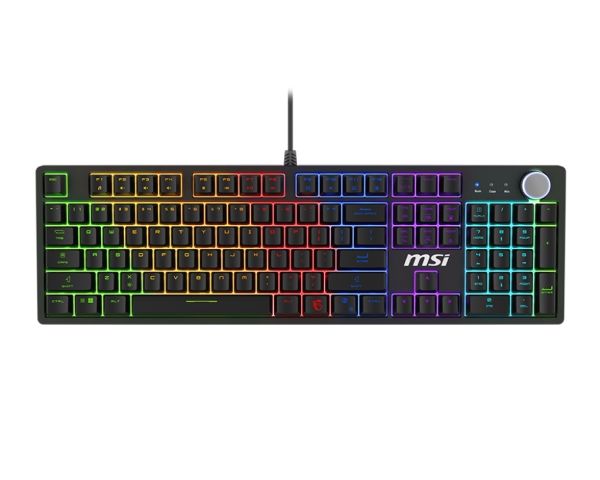
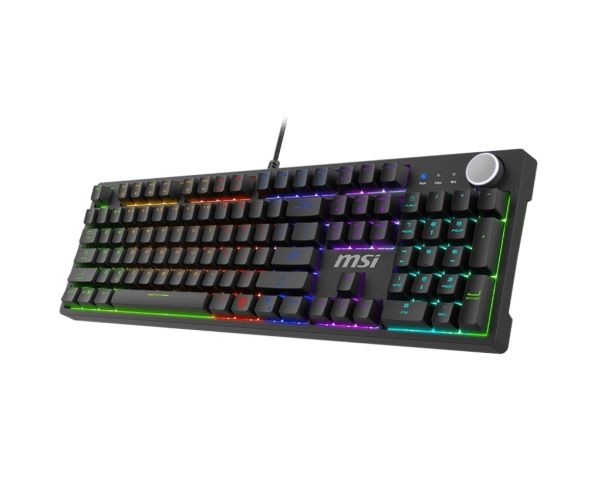
PERSONALIZED LIGHTING Access five built-in game lighting modes for immediate illumination of essential key zones. Further personalize your lighting profiles by holding FN + SCRLK to adjust and store your preferred effects. (For more details, please refer to the user manual.)
Recommended usage
Gaming
Connectivity technology
Wired
Device interface
USB
Keyboard key switch
Mechanical
Keyboard layout
QWERTY
Keyboard language
English
Pointing device
No
Keyboard form factor
Full-size (100%)
Numeric keypad
Yes
Keyboard keys operating life
50 million characters
Windows keys
Yes
Hot keys
Yes
Rollover
N-key rollover
Backlight
Yes
Product colour
Black
Backlight type
RGB LED
Cable length
1.6 m
Anti-ghosting
Yes
Power source type
USB
USB Type-C charging port
No
Mouse included
No
Windows operating systems supported
Yes
Mac operating systems supported
Mac OS 12.4, Mac OS 13.1, Mac OS 14.5, Mac OS X 10.1 Puma, Mac OS X 10.10 Yosemite, Mac OS X 10.11 El Capitan, Mac OS X 10.12 Sierra, Mac OS X 10.13 High Sierra, Mac OS X 10.14 Mojave, Mac OS X 10.15 Catalina, Mac OS X 10.15.3 Catalina, Mac OS X 10.2 Jaguar, Mac OS X 10.3 Panther, Mac OS X 10.4 Tiger, Mac OS X 10.5 Leopard, Mac OS X 10.6 Snow Leopard, Mac OS X 10.7 Lion, Mac OS X 10.7.5 Lion, Mac OS X 10.8 Mountain Lion, Mac OS X 10.9 Mavericks, Mac OS X 11.0 Big Sur, Mac OS X 12.0 Monterey, Mac OS X 13.0 Ventura, Mac OS X 14.0 Sonoma, Mac OS X 15.0 Sequoia
Keyboard dimensions (WxDxH)
134 x 441 x 37 mm
Keyboard weight
978 g
Number of products included
1 pc(s)
AC adapter included
No
The item is known under the following item numbers in our system
EAN:
4711377324625
SKU:
S11-04DE254-HH9
Why do I find that the same product is available on different item numbers?
Manufacturers often release the same product with different item numbers, typically just different versions of the packaging. For example, the packaging may be targeted at different countries.
We try our best to unify the products, but it can happen that the same product appears on different item numbers in our system.